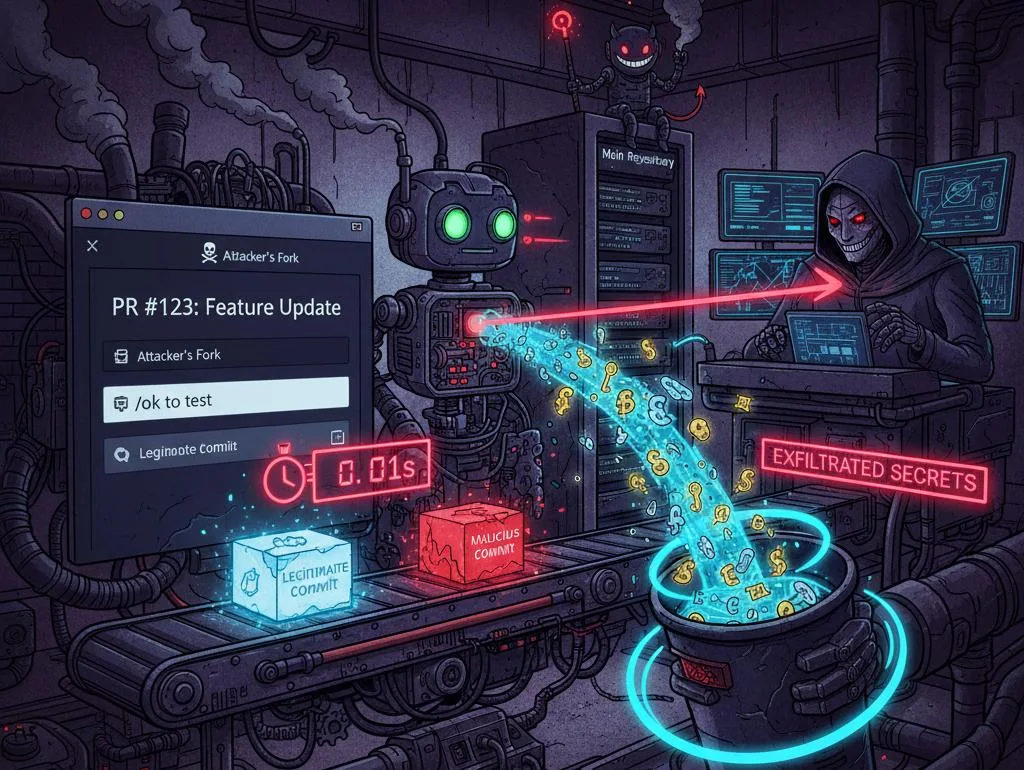
The GitHub Security Crisis: How Hackers Hijacked Thousands of Developer Accounts to Steal CI/CD Secrets, Cloud Credentials & AI API Keys
A sophisticated GitHub credential-theft campaign demonstrates how a single compromised developer account can expose thousands of repositories, automated deployment pipelines, cloud infrastructure, and sensitive AI credentials.
Introduction: When Your GitHub Account Becomes an Entry Point for a Cyberattack
GitHub is more than a platform for storing source code. For modern software companies, it is the foundation of their entire development ecosystem.
Developers use GitHub to manage source code, collaborate with teams, automate builds, deploy applications, manage infrastructure, and connect cloud services. Behind these operations are powerful credentials, including Personal Access Tokens (PATs), SSH keys, API keys, cloud access tokens, and CI/CD secrets.
But what happens when attackers gain access to a legitimate developer account?
They don't necessarily need to exploit a software vulnerability, break into a server, or bypass sophisticated security systems. They can simply use stolen credentials to perform actions that appear completely legitimate.
That is precisely what happened in the recently identified wfx-loot campaign, a large-scale cyberattack targeting GitHub accounts and repositories.
According to security research published by Aikido Security on November 12, 2026, attackers used compromised GitHub credentials to introduce malicious code into tens of thousands of repositories.
The campaign reportedly involved:
- 4,837 compromised GitHub accounts.
- 61,764 repositories targeted through malicious pull requests.
- At least 1,835 repositories where the payload reportedly executed and credentials were exfiltrated.
- Access to GitHub Actions secrets, cloud credentials, AI API keys, SSH keys, and developer configuration files.
The concerning part is that this attack was not limited to stealing source code. It targeted the infrastructure and credentials that developers use to build, test, and deploy applications.
This incident highlights a critical lesson for every software company: Securing your GitHub login is no longer enough. You must secure everything connected to your GitHub account.
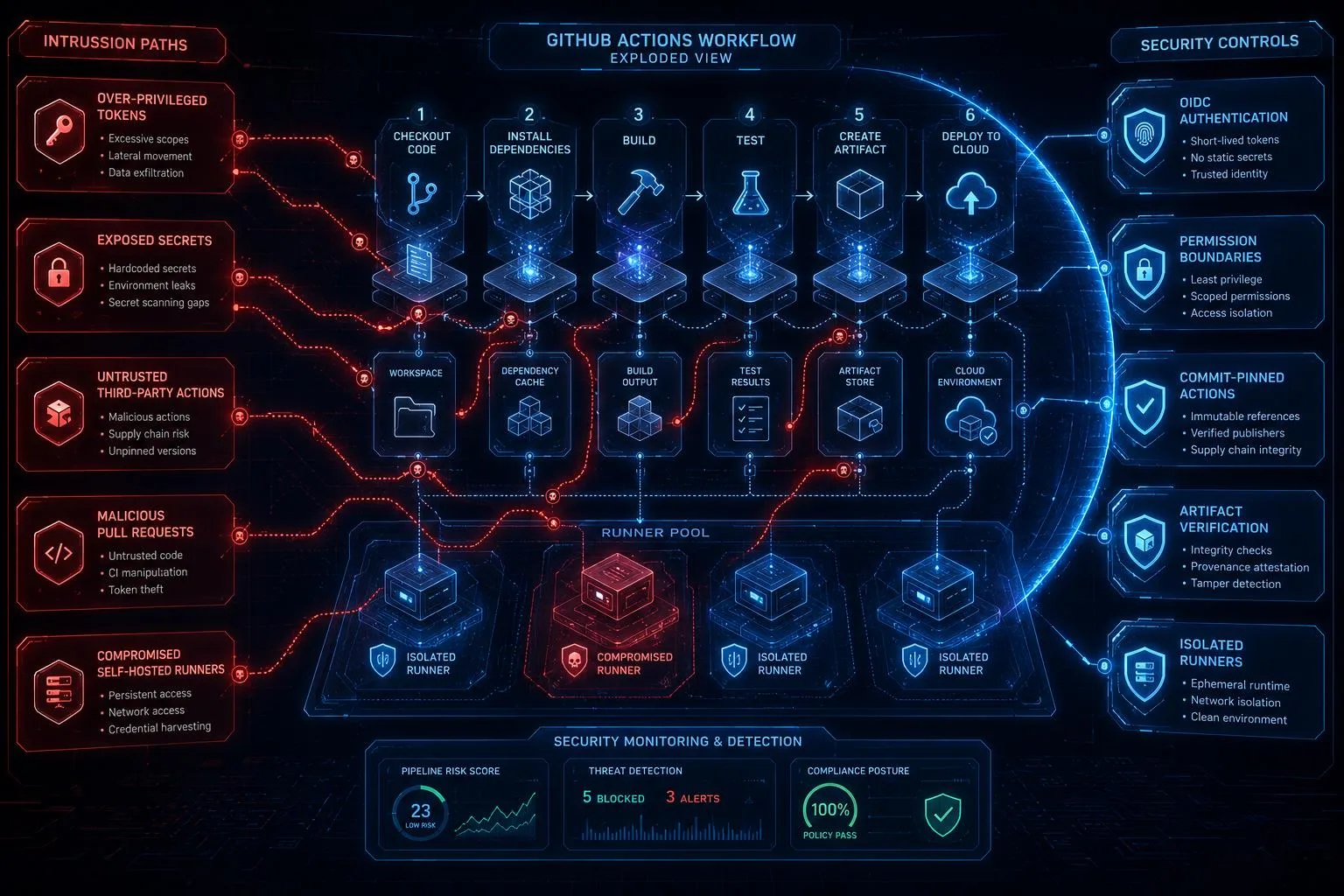
1. What Is the wfx-loot GitHub Attack?
The wfx-loot campaign is a credential-driven attack that uses compromised GitHub accounts to distribute malicious scripts across repositories.
Instead of exploiting a vulnerability in GitHub itself, attackers leveraged existing account permissions to modify repositories.
The attack followed a simple but dangerous approach:
- Obtain access to compromised GitHub credentials.
- Identify repositories where the compromised account has write permissions.
- Create seemingly harmless pull requests to verify access.
- Inject malicious scripts into repository files or CI/CD workflows.
- Execute the scripts through automated development processes.
- Collect sensitive credentials from build environments.
- Remove malicious changes and delete execution logs to hide evidence.
This technique is particularly dangerous because it abuses legitimate development workflows.
A malicious commit may appear to come from an actual developer or collaborator, making it harder to distinguish from normal development activity.
2. How Did Attackers Compromise Thousands of GitHub Repositories?
The attack did not begin by targeting individual repositories one by one.
Instead, attackers leveraged stolen GitHub credentials and the permissions associated with those accounts.
Step 1: Identifying Accessible Repositories
Once attackers obtained a valid GitHub credential, they searched for repositories where that account had write access.
This included:
- Personal repositories.
- Organization repositories.
- Repositories where the user was a collaborator.
- Projects accessible through shared development accounts.
One compromised developer account could therefore provide access to multiple unrelated repositories.
Step 2: Creating Malicious Pull Requests
Attackers created pull requests using a specific title:
docs: dependency audit notes
These pull requests originated from a branch named:
wfx-docs
The initial pull request acted as a permission probe.
It helped attackers identify repositories where they could successfully modify code.
For developers and repository administrators, this is an important warning sign.
Even if the initial pull request contains no obvious malicious code, its presence may indicate that the account creating it has already been compromised.
Step 3: Injecting Malicious Code
After confirming write access, attackers used different methods to introduce the payload.
Three observed techniques included:
A. Existing GitHub Actions workflow modification
Attackers modified existing workflow files and introduced malicious shell commands into CI/CD execution steps.
One observed commit message was:
ci: refresh build cache
B. npm installation hook
Attackers introduced a hidden shell script and modified the package.json file to execute it through an npm lifecycle hook such as postinstall.
For example, a malicious package installation hook can execute automatically when someone runs:
npm install
This is especially dangerous because the developer may never directly execute the malicious script.
C. Temporary GitHub Actions workflow
Attackers also created temporary workflow files using branches with names similar to:
chore/xxxxxxxx
The temporary workflow was designed to execute the payload through GitHub Actions.
These different delivery methods made the campaign harder to detect using a single security rule.
3. The Real Threat: What Information Was the Malware Stealing?
The most dangerous component of this campaign was the information-stealing script.
Researchers described a payload of approximately 1,500 lines of shell code.
Rather than focusing on a single credential, it searched multiple locations across the development environment.

GitHub credentials
The script targeted:
- GitHub Personal Access Tokens.
- GitHub Actions secrets.
- GitHub Actions variables.
- GITHUB_TOKEN.
- GitHub runtime credentials.
- GitHub OIDC tokens.
Cloud infrastructure credentials
The malware also searched for credentials associated with major cloud platforms.
AWS
- Access keys.
- Secret access keys.
- IAM credentials.
- Temporary cloud sessions.
- Credentials available through instance metadata.
Microsoft Azure
- Service principal credentials.
- Azure CLI authentication tokens.
- Federated identity credentials.
- Microsoft Entra ID access tokens.
Google Cloud Platform
- Service account keys.
- Cloud authentication tokens.
- Project and service account credentials.
AI API keys and developer tools
One particularly concerning aspect was the malware's interest in AI-related credentials.
It searched for credentials associated with services and tools such as:
- OpenAI
- Anthropic Claude
- Google Gemini
- Hugging Face
- Cursor
- GitHub Copilot
- Codex
- Ollama
- Other AI development platforms
For organizations increasingly integrating AI into their applications, leaked AI API keys can lead to unauthorized API usage, financial losses, data exposure, and abuse of connected services.
Developer machine and configuration files
The script also searched for sensitive files, including:
.env.pem.p12.jks.kubeconfig- SSH credentials
- Git credentials
- Docker configuration
- Terraform credentials
- Shell command histories
This means the potential impact extends beyond the GitHub repository itself.
A compromised CI/CD runner can become a gateway to an organization's broader development and cloud infrastructure.
4. How Attackers Could Turn Stolen Credentials into Cloud Infrastructure Access
Stealing API keys is only the first stage of a sophisticated attack.
The more dangerous step is using those credentials to gain additional access.
The wfx-loot payload contained capabilities designed to escalate privileges across cloud environments.
AWS: Creating Persistent Access
Depending on the permissions available, the malware could:
- Exchange GitHub OIDC tokens for AWS sessions.
- Discover additional IAM roles.
- Create new IAM access keys.
- Modify IAM role trust policies.
One particularly dangerous technique involved modifying an AWS role trust policy to accept principals from any AWS account.
This can create an additional access path that remains available even after the original credentials are rotated.
Azure: Creating Additional Authentication Paths
The malware also contained functionality to add federated identity credentials to Azure applications.
These credentials were identified using names beginning with:
wfx-ci-
This is significant because federated authentication can allow a workflow to authenticate to Azure without relying on a traditional stored client secret.
Simply changing an Azure password or rotating an application secret may therefore be insufficient if an unauthorized federated identity remains configured.
Google Cloud: Service Account Impersonation
The payload also contained functionality to use available service account credentials and exchange authentication tokens.
Depending on the permissions granted, this could provide access to additional cloud projects and resources.
The bigger lesson: A stolen developer credential can become a cloud infrastructure security incident when CI/CD permissions are too broad.
5. How Did Attackers Hide Their Activities?
Another particularly concerning feature was the campaign's cleanup mechanism.
After injecting and executing malicious code, attackers attempted to remove evidence of their activities.
The observed process included:
- Introducing malicious changes.
- Executing the payload.
- Collecting credentials.
- Reverting malicious commits.
- Deleting the corresponding workflow runs and logs.
Some modifications were reportedly reverted within approximately one minute.
This creates a serious challenge for security teams.
An administrator reviewing the repository may see no obvious malicious code because the attacker has already removed it.
However, the absence of malicious files does not mean the repository was never compromised.
Missing GitHub Actions workflow run numbers and unusual commit sequences may provide important evidence.
6. How to Identify Whether Your GitHub Repository Was Targeted
Developers and security teams should investigate repositories that they own, manage, or can modify.
The following indicators were reported in the wfx-loot investigation.
Suspicious pull request titles
Search for:
docs: dependency audit notes
Suspicious branch names
Check for:
wfx-docschore/followed by eight random charactersci-check-followed by four digits
Suspicious commit messages
Look for:
ci: refresh build cacheci: restorechore: add ci helperci: cleanupchore: add dependency audit workflow
Suspicious files
Investigate unexpected files such as:
.ci-xxxxxx.sh.github/workflows/build-audit-xxxxxx.yml
Also inspect unexpected changes to package.json, especially newly introduced installation scripts.
Suspicious network indicators
The original research identified the following campaign-related callback indicators:
194.150.166[.]244:8080/exfil18.143.168[.]96:8080/exfil
These indicators should be treated as investigation data, not as a complete detection strategy. Their absence does not prove that a repository is safe.
Important: If you discover the initial probe pull request, investigate the associated GitHub account immediately. Closing the pull request alone is not sufficient.
7. Immediate Security Actions: What Should Developers and Companies Do?
If your organization uses GitHub, take this opportunity to review your security configuration.
Action 1: Enable Two-Factor Authentication
Enable 2FA for every GitHub account.
Prefer phishing-resistant authentication methods such as passkeys or hardware security keys where available.
2FA makes unauthorized account access more difficult, but it does not protect a token that has already been stolen.
Action 2: Review and Revoke Personal Access Tokens
Visit:
https://github.com/settings/tokens
Review:
- Active classic PATs.
- Fine-grained PATs.
- Token expiration dates.
- Repository access permissions.
- Unexpected or unused tokens.
Revoke unknown or unnecessary tokens.
If an account is suspected of compromise, investigate OAuth grants, GitHub App authorizations, SSH keys, and other authentication methods as well.
Action 3: Audit Every Repository
Do not check only your primary repository.
Review:
- Personal repositories.
- Organization repositories.
- Collaborator repositories.
- Private repositories.
- Repositories connected to deployment pipelines.
A compromised account may have access to repositories that its owner does not directly manage.
Action 4: Review GitHub Actions Workflows
Inspect files inside:
.github/workflows/
Pay particular attention to:
- Unexpected workflow modifications.
- Unknown shell scripts.
- Unexpected external actions.
- Changes to dependency installation commands.
- Workflows with unnecessary write permissions.
- Unusual workflow execution history.
Action 5: Rotate All Potentially Exposed Secrets
If a malicious payload executed, assume that every credential accessible to that workflow may have been compromised.
Rotate relevant:
- GitHub secrets.
- AWS access keys.
- Azure application credentials.
- Google Cloud service account keys.
- Database passwords.
- SSH keys.
- Payment gateway API keys.
- AI provider API keys.
- Third-party service tokens.
Do not assume that changing only the GitHub password is enough.
Action 6: Check Cloud Infrastructure for Unauthorized Changes
Inspect AWS CloudTrail and IAM configurations.
Look for unexpected:
- CreateAccessKey operations.
- UpdateAssumeRolePolicy operations.
- New IAM users or access keys.
- Modified role trust relationships.
For Azure, review application registrations and federated identity credentials.
Investigate unauthorized entries with names beginning with wfx-ci-.
For Google Cloud, inspect service account activity, IAM policy changes, and unexpected token usage.
Action 7: Investigate Developer Machines
If an npm installation hook may have executed locally, do not limit your investigation to GitHub Actions runners.
Examine developer machines that installed dependencies from affected repositories during the exposure window.
Review shell histories, credential files, running processes, SSH access, and unexpected persistence mechanisms.
Revoke exposed credentials and rebuild affected environments from trusted sources where necessary.
8. How to Secure GitHub Actions and Prevent Similar Attacks
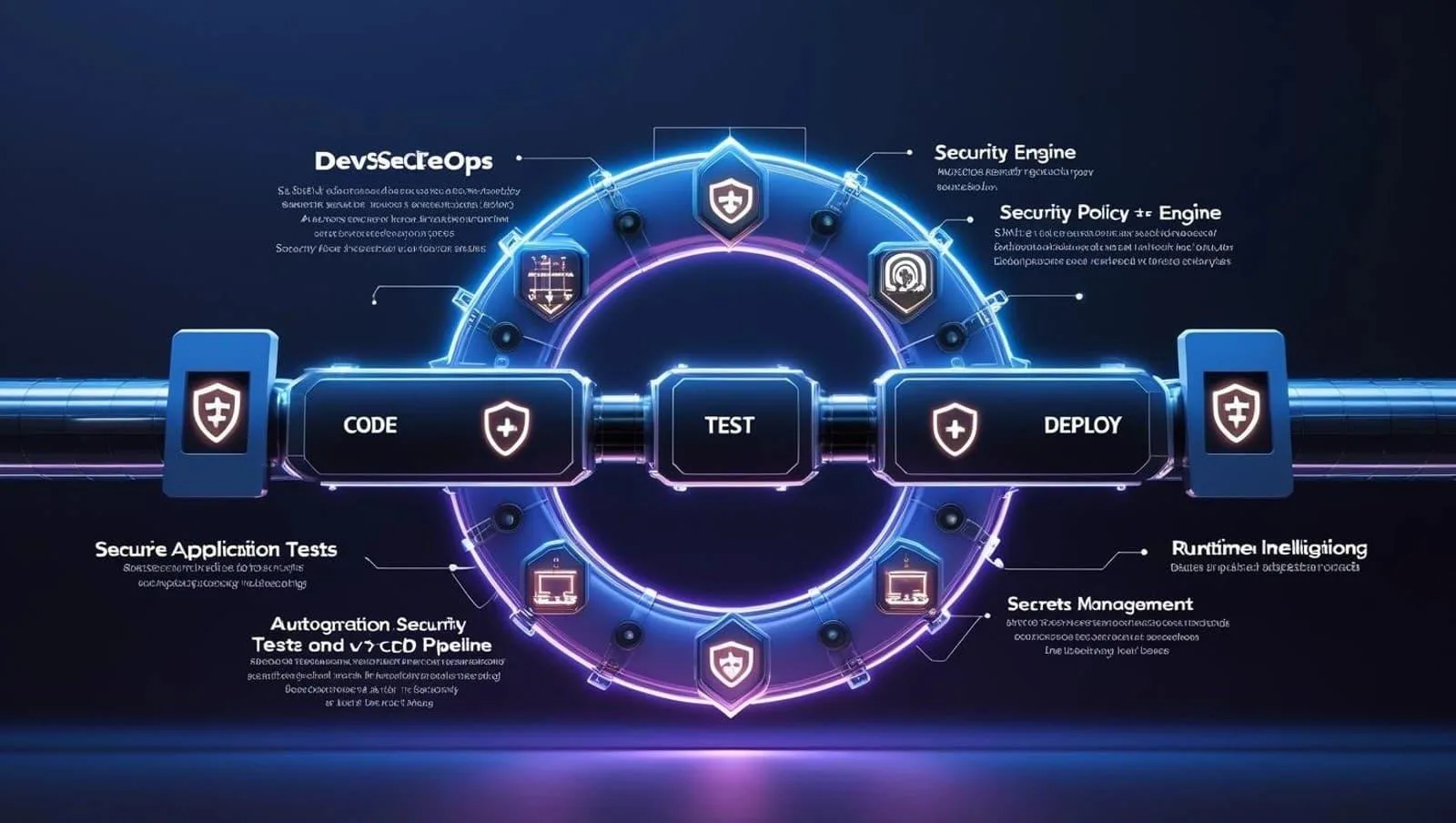
Security should not depend only on identifying known malware signatures.
Organizations need multiple independent layers of protection.
Use Least-Privilege Permissions
Avoid giving every workflow unrestricted repository access.
For example:
permissions:
  contents: read
Grant additional permissions only when a workflow genuinely requires them.
Avoid unnecessary write-all permissions.
Use Short-Lived Cloud Credentials
Where possible, use OpenID Connect (OIDC) federation instead of storing long-lived cloud credentials inside GitHub secrets.
However, OIDC must be configured securely.
Restrict trust policies using repository, branch, environment, and workflow identity conditions.
Protect Important Branches
Enable:
- Branch protection rules.
- Required pull request reviews.
- Required status checks.
- Restricted force pushes.
- Restricted direct pushes.
- CODEOWNERS for sensitive workflow files.
For sensitive repositories, require security-team review before modifying CI/CD workflow configurations.
Secure Dependency Installation
Review npm lifecycle scripts and third-party dependencies.
For automated installation environments, consider:
npm ci --ignore-scripts
Use this only where dependencies and build tools do not require installation scripts. Some legitimate packages depend on lifecycle scripts, so validate the impact before enforcing this globally.
Use dependency lockfiles, trusted registries, package integrity verification, and automated dependency security scanning.
Secure GitHub Actions Dependencies
Pin third-party GitHub Actions to verified full commit SHAs rather than relying exclusively on mutable tags.
Review external actions before granting them access to sensitive secrets.
Monitor Unusual Activity
Monitor:
- New PAT creation.
- OAuth authorization changes.
- Unusual repository pushes.
- Unexpected workflow execution.
- Changes to deployment credentials.
- Unusual cloud API calls.
- New IAM roles and service accounts.
A good security monitoring system should identify unusual behavior even when attackers use valid credentials.
9. Why This Attack Is a Wake-Up Call for AI Developers
Modern developers increasingly depend on AI coding assistants and cloud-based AI services.
Tools such as Claude Code, OpenAI Codex, Cursor, Gemini, and other AI platforms are often integrated directly into development environments.
These tools may store API credentials, authentication tokens, and configuration files locally.
If a developer's machine or CI/CD environment becomes compromised, these credentials may also become exposed.
Consider a typical development setup:
- GitHub repository connected to CI/CD.
- CI/CD connected to AWS.
- Backend application connected to PostgreSQL.
- Application integrated with OpenAI or Anthropic APIs.
- Deployment pipeline holding production credentials.
A single compromised developer account could potentially expose several connected systems.
This is why organizations should treat AI API keys with the same security importance as cloud and database credentials.
Never commit API keys to repositories. Avoid storing production secrets in local development files without appropriate protection. Use centralized secret management and short-lived credentials wherever practical.
10. A Practical GitHub Security Checklist for Every Development Team
Use this checklist to improve your organization's security posture.
GitHub Account Security
- Enable 2FA for all developers.
- Prefer passkeys or hardware security keys.
- Remove unused Personal Access Tokens.
- Review OAuth and GitHub App permissions.
- Audit SSH keys.
- Use separate accounts and credentials for automation where appropriate.
Repository Security
- Enable branch protection.
- Require pull request reviews.
- Protect GitHub Actions workflow files.
- Review unexpected commits and branches.
- Enable secret scanning where available.
- Review collaborator and organization access.
CI/CD Security
- Apply least-privilege workflow permissions.
- Review third-party GitHub Actions.
- Pin external actions to verified commit SHAs.
- Avoid unnecessary access to production secrets.
- Secure dependency installation.
- Monitor workflow execution history.
Cloud Security
- Prefer short-lived credentials.
- Review IAM policies regularly.
- Monitor AWS CloudTrail.
- Audit Azure federated credentials.
- Review Google Cloud service accounts.
- Rotate potentially exposed credentials.
Incident Response
- Investigate suspicious pull requests.
- Review missing workflow run numbers.
- Revoke compromised tokens.
- Rotate exposed secrets.
- Remove unauthorized cloud persistence.
- Investigate affected developer machines.
- Rebuild compromised environments from trusted sources.
11. Final Thoughts: Your Repository Is Only as Secure as the Credentials Behind It
The wfx-loot campaign demonstrates how attackers can turn a compromised developer account into an entry point for a much larger infrastructure attack.
The most important takeaway is that modern cybersecurity is not just about protecting source code.
It is about protecting identities, credentials, automation pipelines, cloud permissions, developer environments, and the systems connected to them.
A repository may appear clean while its secrets have already been stolen. A password reset may secure an account while unauthorized cloud access remains active. A removed malicious commit may leave behind a compromised deployment environment.
Organizations must therefore move beyond basic account protection and adopt a comprehensive security strategy.
12. Real-World Impact on Developers and Businesses
इसमें बताएं कि एक compromised developer account से production database, cloud infrastructure, payment gateway और AI API keys तक कैसे खतरा पहुंच सकता है।
13. What Developers Should Do in the Next 24 Hours
इसमें एक actionable emergency checklist दें:
- GitHub PAT audit
- 2FA verification
- GitHub Actions workflow audit
- Cloud IAM audit
- API key rotation
- Suspicious commits investigation
- Developer machine security scan
Remember these three principles:
- A GitHub account is an identity with access to business-critical infrastructure.
- A CI/CD pipeline should never have more permissions than it needs.
- Rotating credentials is not enough if attackers have created additional ways to regain access.
Security is not a one-time configuration. It is a continuous process of monitoring, verification, access control, and incident response.
If your development team uses GitHub Actions, review your repositories and credentials today. The best time to identify a security weakness is before an attacker discovers it.
Frequently Asked Questions (FAQs)
1. What is the wfx-loot GitHub attack?
wfx-loot is a credential-stealing campaign in which attackers used compromised GitHub accounts to inject malicious scripts into repositories and steal CI/CD secrets, cloud credentials, and developer authentication data.
2. Was GitHub itself hacked?
The reported campaign did not rely on exploiting a vulnerability in GitHub. Attackers used stolen credentials with legitimate repository permissions to modify code and workflows.
3. Can GitHub Actions expose AWS credentials?
Yes. If a workflow has access to AWS credentials or can exchange an OIDC token for an AWS session, malicious code running inside that workflow may be able to access those credentials.
4. Does enabling 2FA prevent GitHub token theft?
2FA significantly improves account security, but it cannot guarantee protection against stolen, already-authorized tokens. PATs, OAuth grants, SSH keys, and other credentials must also be protected.
5. How can I check whether my repository was affected?
Search for suspicious pull requests titled docs: dependency audit notes, branches named wfx-docs, unusual CI commits, unexpected .ci-*.sh files, and missing GitHub Actions workflow runs from November 10, 2026 onward.
6. Should I change my GitHub Personal Access Token?
If your token may have been exposed, revoke it and create a replacement with the minimum permissions and lifetime required. Also investigate other potentially exposed credentials.
7. Can malware steal OpenAI and Claude API keys?
Yes. Malware running in a development environment or CI/CD runner can search accessible environment variables and credential files for AI provider keys.
8. Is removing malicious code enough to secure a repository?
No. If malicious code executed, credentials may already have been stolen and additional access mechanisms may have been created. A complete incident investigation and recovery process is necessary.
Research References & Sources
This article is based on cybersecurity research, technical investigations, and independent security reports from the following sources:
- Aikido Security – Original wfx-loot Investigation
- SecurityWeek – Attacker Targets 60,000 GitHub Repositories in Credential Theft Campaign
- VSHN – The wfx CI Secret Stealer: How It Works and How to Protect Your Repositories
These references provide additional technical details about the attack methodology, compromised repositories, credential theft techniques, and recommended security measures.
Ready to Build Your App, Website, or Software Project?
Tell us about your idea and our team will get back to you within 24 hours with a clear plan, timeline, and cost estimate — no obligation, completely free.
- Book a free consultation call within 24 hours
- Get a clear project roadmap and cost estimate in ₹
- Sign an NDA to keep your idea 100% confidential